V2X2MAP on iPhone & Mac
The native iOS app brings the live V2X map to your iPhone, and you flash the ESP32-C5 receiver in one click, right in your browser.
The iOS app
V2X2MAP for iOS is a fully native SwiftUI app. It connects to the ESP32-C5 receiver over Bluetooth LE and shows everything the cars and roadside units around you are broadcasting: live, decoded on the phone, no cloud involved.
Live map
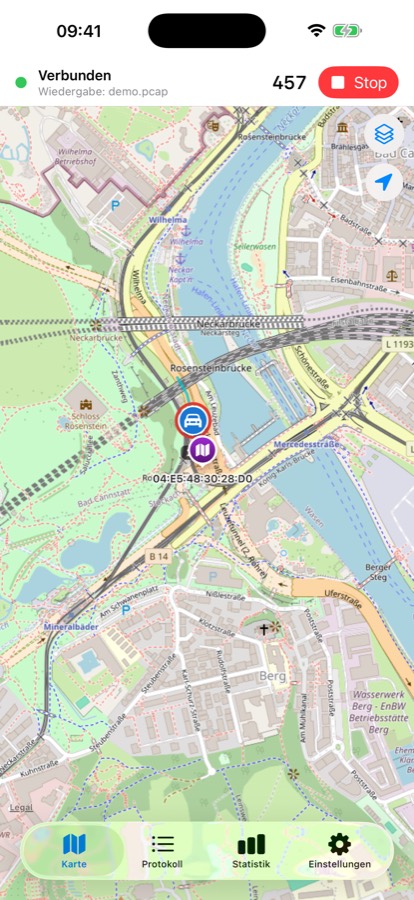
Vehicles as rotating markers with speed, turn signals and a braking ring; roadside units, hazards and signalized intersections color-coded on OSM or Apple maps.
Hazard alerts
DENM warnings (roadworks, obstacles, …) arrive as push notifications, even while the app runs in the background.
Traffic-light phases
SPATEM live phases with countdown on signalized intersections (experimental).
Vehicle tracks
Optionally draw the path every received car has driven.
Record & replay
Automatic .pcap session logs and manual recordings, replayable right in the app.
Offline maps & statistics
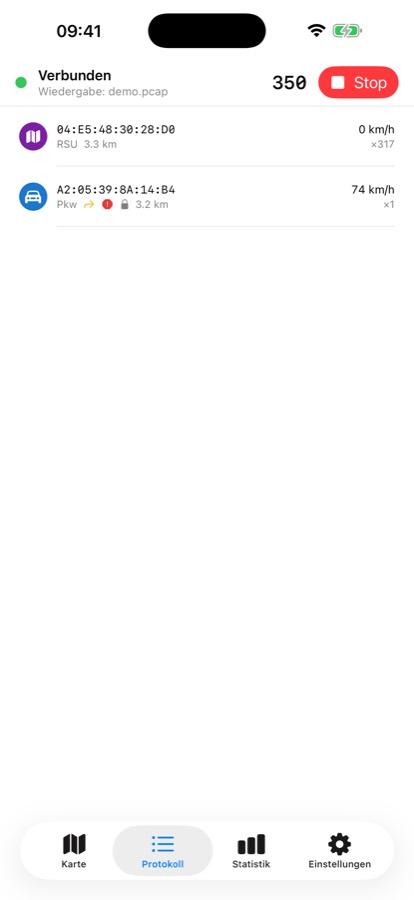
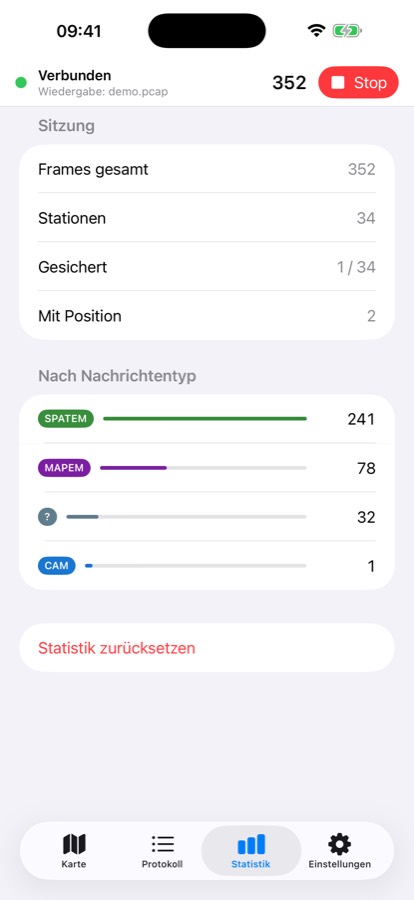
Preload OSM tiles for offline drives; message-type statistics and a per-station log with raw frames.
Beta (free): join via the public TestFlight link. The App Store release (€1.99) is on its way.
Requires the same ESP32-C5 receiver as the Android app (firmware 0.2.5 or newer), connected via Bluetooth LE. Without the receiver the map stays empty.
Flash the receiver
iPhones have no USB path to the board, so the ESP32-C5 firmware is flashed from a computer once. Two ways, pick whichever suits you:
Easiest: flash from your browser
Open the flasher in Chrome or Edge on any computer and click once. Nothing to download or install. It uses Web Serial, so it needs a desktop Chromium-based browser (Safari, Firefox and iPhone/iPad can’t flash).
- 1Open the web flasher
Go to v2x2map.com/flash in Chrome or Edge and plug the ESP32-C5 in via USB-C.
- 2Click “Connect & Flash”
Pick the serial port (e.g. “USB JTAG/serial debug unit”); flashing runs automatically in about a minute.
- 3Power-cycle, then start the app
Unplug the receiver from USB once and plug it back in, then open the iOS app:
ITS-G5-RXconnects over Bluetooth automatically.
Alternative: the macOS flasher app
Prefer a native app, or a browser without Web Serial? The free V2X2MAP C5 Flasher for macOS does it in one click too: no Python, no Homebrew, esptool is bundled (Apple Silicon & Intel).
- 1Download & unzip the flasher
Grab
V2X2MAP-C5-Flasher-macos.zipfrom the latest GitHub release. - 2Connect the ESP32-C5 via USB-C
Then right-click
flash.command→ “Open”. The tool finds the board and flashes the current receiver firmware in about a minute. - 3Power-cycle, then start the app
Unplug the receiver once and plug it back in, then tap “Start”. The receiver
ITS-G5-RXis found via Bluetooth and connects automatically.
Android users don’t need either: the Android app flashes the board itself over USB-OTG.
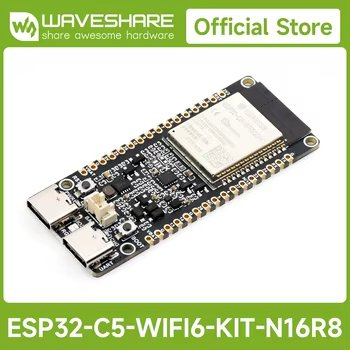
Build your own V2X receiver:
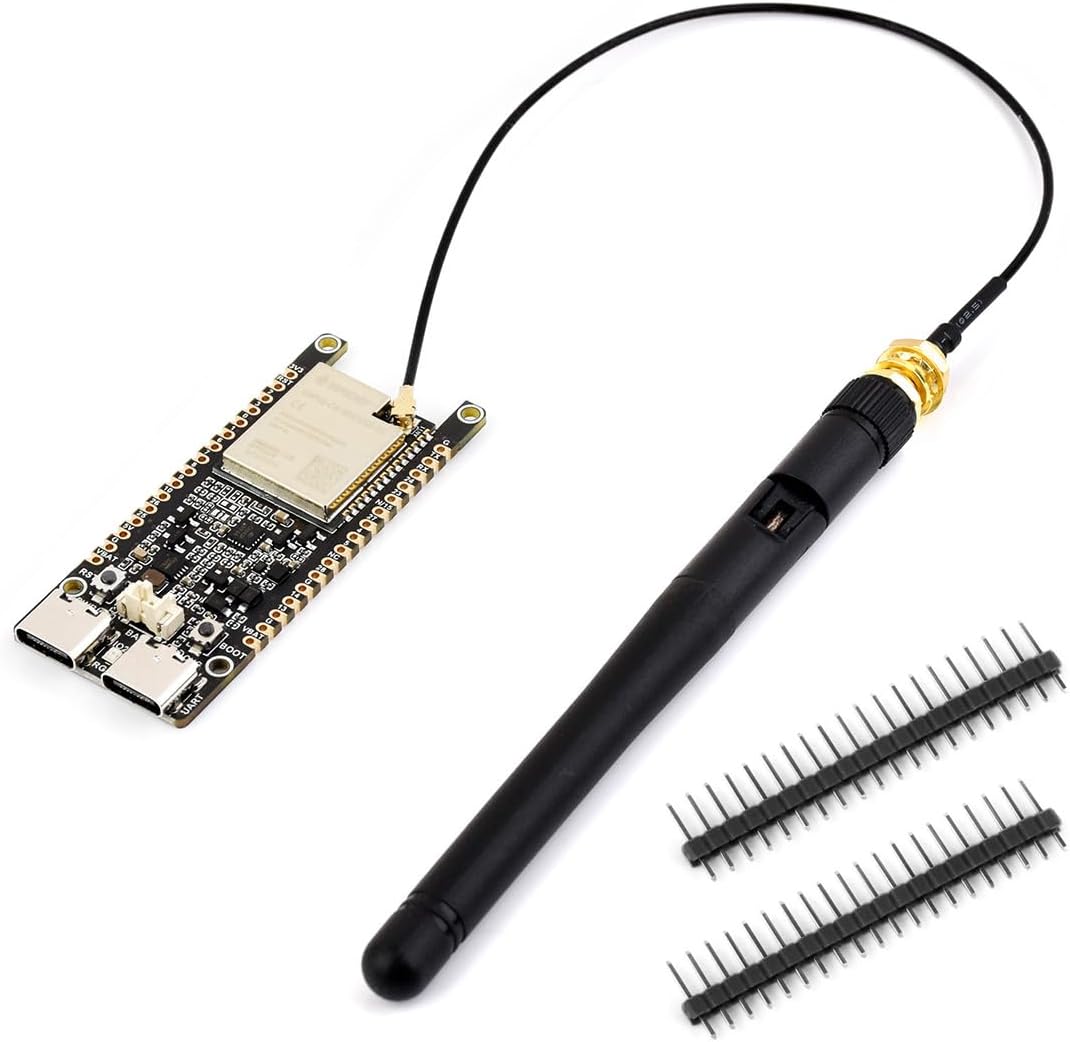
Affiliate link. We may earn a commission on qualifying purchases at no extra cost to you.